



Quick Answer: How Do You Use a Walkie Talkie Correctly?
To use a walkie talkie correctly, select the approved channel, listen briefly to make sure the channel is clear, press and hold the To use a walkie talkie correctly, select the approved
channel, listen briefly to make sure the channel is clear, press and hold the PTT (Push-to-Talk) button, wait about one second, speak clearly from approximately 5–10 cm from the
microphone, and release PTT when you finish. A walkie talkie is normally half-duplex, so people sharing one channel take turns transmitting and listening. In professional fleets, short,
structured transmissions and consistent call signs are more important than speaking loudly.
Important: Radio functions, frequency ranges, power levels, channel spacing, VOX availability, and waterproof ratings vary by model. Always confirm the user manual, programmed channel plan, and local radio regulations before deployment.
Important: Radio functions, frequency ranges, power levels, channel spacing, VOX availability, and waterproof ratings vary by model. Always confirm the user manual, programmed channel plan, and local radio regulations before deployment.
What Are the Most Important Walkie Talkie Operating Rules?
- Listen before transmitting. Do not speak over another user.
- Press PTT before speaking. A short pause helps prevent the first word from being clipped.
- Keep the microphone at a consistent distance. Avoid covering it with your hand.
- Use short, complete messages. State who you are calling, identify yourself, give the message, and close the exchange.
- Say “Over” when you expect a reply. Say “Out” when the exchange is finished and no reply is required.
- Release PTT before listening. Holding PTT while waiting blocks the channel.
- Use the assigned channel only. Do not change channels during an active task unless the procedure requires it.
- Treat emergency and priority traffic as protected. Stop routine conversations when instructed by the site coordinator.
What Should You Check Before Using a Walkie Talkie for the First Time?
A reliable walkie talkie operating guide starts before the first call. A supervisor or radio administrator should complete the following checks:
- Inspect the radio and accessories. Check the housing, antenna, battery, charger, belt clip, and earpiece for damage.
- Charge the battery according to the model manual. Do not deploy radios with unknown battery condition.
- Confirm the channel plan. Record the channel name, operating purpose, frequency or programmed profile, and any CTCSS/DCS setting.
- Confirm that all radios use compatible settings. Radios must match on the relevant frequency, channel spacing, transmit tone, receive tone, and operating mode.
- Check the PTT and audio path. Make a short test call and confirm that the other radio receives clear audio.
- Check local authorization requirements. A radio that can tune to a frequency is not automatically authorized to transmit there.
- Record the radio assignment. For business fleets, link each unit to a team, vehicle, shift, or employee ID.
QYT manuals include preparation, basic operations, PTT, receiving and making a call, CTCSS/DCS tables, specifications, troubleshooting, and warranty information. The QYT packing guidance also lists common items such as the radio, antenna, battery pack, desktop charger, power adapter, belt clip, user manual, hand strap, and warranty card.
How Do You Properly Press and Use the PTT Button?
PTT is the control that changes the radio from receiving to transmitting. The standard operating sequence is:
- Hold the radio in a stable position.
- Keep the antenna clear of large metal objects and avoid covering the microphone.
- Press and hold PTT.
- Wait about one second before speaking. This is a practical fleet-training rule, not a universal specification for every model.
- Speak in a normal, controlled voice at approximately 5–10 cm from the microphone.
- Release PTT immediately after the message is complete.
- Listen for the reply.
Why Should You Wait Briefly After Pressing PTT?
Some radios, repeaters, or programmed systems need a short time to open the transmit path. Speaking immediately after pressing PTT can cut off the first syllable. A one-second pause is easy to teach during onboarding and reduces repeated messages.
How Should You Hold the Radio for Clearer Audio?
Keep the front microphone opening unobstructed. Do not shout directly into the microphone, place the radio against clothing, or turn your head away while speaking. In a noisy warehouse, vehicle yard, or hotel service area, an approved earpiece or speaker microphone may provide more consistent audio than increasing voice volume.
What Is the Correct Way to Start and End a Walkie Talkie Call?
A professional call has a predictable structure. The following format is suitable for hotels, warehouses, logistics teams, property operations, and field service groups.
How Should You Start a Walkie Talkie Call?
Use the name of the person or team first, then identify yourself:
“Front Desk, this is Housekeeping. Do you copy? Over.”
The called party replies:
“Housekeeping, this is Front Desk. Go ahead. Over.”
Avoid opening with an incomplete sentence such as “Can you…?” The receiving team may not know who is calling or what action is required.
How Should You Deliver the Message?
Use this four-part structure:
- Location: Where is the issue?
- Situation: What happened?
- Action: What is needed?
- Timing: When is the action required?
Example:
“Warehouse Control, this is Loading Bay Two. Pallet 18 is blocking the marked exit. Please send one handler to move it before the next truck arrives. Over.”
How Should You Close the Call?
- “Over” means you expect the other party to respond.
- “Out” means the exchange is complete and no response is required.
- “Stand by” means the other party should wait; it does not mean the call is finished.
- “Say again” is clearer than “What?” when a message was missed.
- “Wilco” means “I understand and will comply,” but teams should use it only if everyone has been trained on the term.
What Is Half-Duplex and Why Does It Matter?
Half-duplex communication allows a radio to transmit or receive, but not both at the same time on the same channel. When one user presses PTT, other users on that channel must listen. If two users press PTT together, the messages may overlap or one transmission may be blocked.
This is why professional radio etiquette depends on turn-taking:
For active sites, a practical training rule is to keep routine transmissions under approximately 30 seconds. The exact limit should be set by the site communication plan rather than treated as a universal radio specification.
How Do You Switch Channels on a Walkie Talkie?
The physical control varies by model. Many handheld radios use Channel + and Channel – buttons, a rotary selector, or a menu. Some QYT manuals identify dedicated channel controls and PTT controls, while other models use a function key or programming software for channel configuration.
Use this safe process:
- Stop transmitting and release PTT.
- Confirm that changing channels is permitted for your task.
- Select the assigned channel using the channel buttons or selector.
- Check the display or channel announcement.
- Listen briefly before transmitting.
- Make a short radio check if the team procedure requires it.
Do not assume that two channels with similar names are compatible. A channel can differ in frequency, channel spacing, CTCSS/DCS tone, transmit power, repeater offset, or operating mode.
What Channel Settings Should a Fleet Administrator Record?
A simple channel plan should include:
A QYT handheld specification example in the product documentation lists 16 channels, 400–470 MHz operation, selectable channel spacing, Carrier/CTCSS/DCS squelch modes, and 2 W / 1 W output settings. These values belong to that documented model and should not be generalized to every QYT radio.
How Do CTCSS and DCS Improve Professional Radio Etiquette?
CTCSS and DCS are signaling systems used to keep a radio speaker quiet unless the expected tone or code is detected. They do not make a channel private and do not prevent another user from transmitting on the same frequency.
For a business fleet, CTCSS/DCS can help reduce unwanted audio from other users who share the same frequency. The radio administrator should document both the receive and transmit settings and ensure every unit in the talk group is programmed consistently.
A tone mismatch can look like a radio failure: one user may transmit, but another user may not hear the audio because the receiving radio is filtering it. When troubleshooting, verify frequency, channel spacing, CTCSS/DCS, power, antenna, battery, and volume in that order.
What Is VOX Mode and When Should You Use It?
VOX means Voice-Operated Exchange. When available, VOX allows the radio to begin transmitting when it detects speech, reducing the need to press PTT.
VOX can be useful when both hands are occupied, such as equipment handling, vehicle operations, or some field-service tasks. It can also create problems in noisy environments because machinery, alarms, wind, and nearby conversations may trigger transmission.
How Should a Team Configure VOX?
- Use an approved headset or microphone when possible.
- Start with a conservative sensitivity level.
- Test in the actual working environment, not only in a quiet office.
- Confirm that the radio returns to receive mode after speech stops.
- Train users to switch back to PTT when the channel becomes congested.
- Do not use VOX for sensitive, emergency, or high-noise work unless the procedure has been tested.
VOX availability and adjustment steps differ by model. Check the relevant QYT manual before listing VOX as a required purchasing specification.
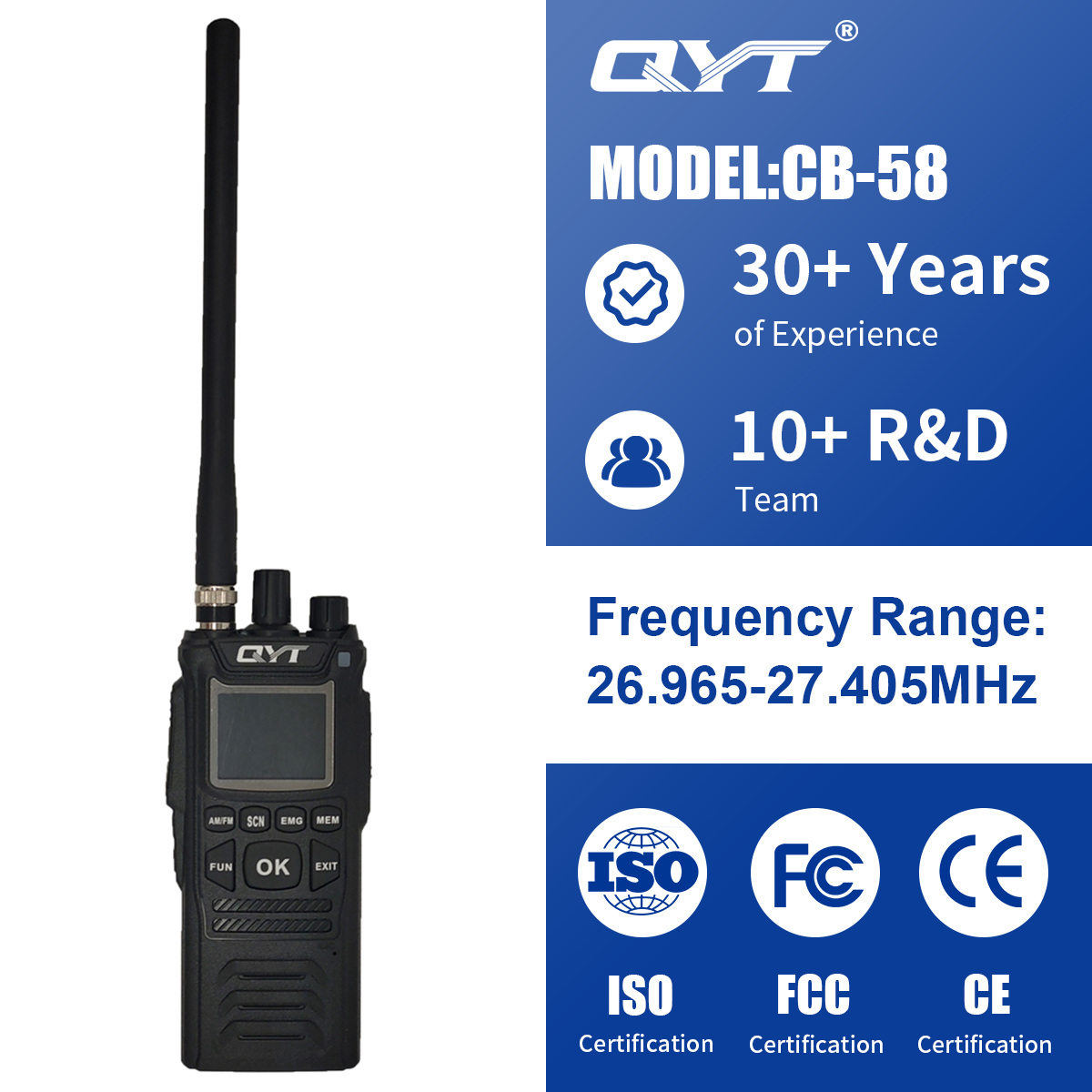
Which QYT Self-Developed Handheld Radio Series Fits Different Operating Environments?
QYT’s self-developed handheld radio portfolio includes the CB series, KT series, and M series. The correct selection depends on the operating environment, frequency plan, installation type, waterproof requirement, and compliance documentation—not on the model name alone.
How Can a Hotel Train New Employees to Use Walkie Talkies?
A hotel onboarding session can be completed with a short practical checklist:
- Assign each department a call sign, such as Front Desk, Housekeeping, Engineering, and Security.
- Demonstrate the power, volume, channel, and PTT controls.
- Require every trainee to make one test call.
- Teach the “listen, press, pause, speak, release” sequence.
- Practice a room-service request, maintenance request, and priority call.
- Prohibit guest names, payment information, room access codes, and other sensitive information on open radio channels.
- Explain “Over,” “Out,” “Stand by,” and “Say again.”
- Collect radios at shift change and check battery condition.
The result is a repeatable walkie talkie operating procedure rather than informal advice passed from one employee to another.
How Can a Warehouse Create a Standard Radio Communication Procedure?
A warehouse communication SOP should define:
- Channel ownership for receiving, picking, loading, maintenance, and emergency coordination.
- Call signs for supervisors, vehicles, loading bays, and fixed posts.
- The format for reporting blocked aisles, damaged pallets, vehicle movements, and safety risks.
- The rule that safety-related traffic takes priority over routine traffic.
- The fallback channel and escalation contact when the primary channel is congested.
- The battery charging, inspection, cleaning, and storage process.
- The process for replacing a lost or damaged radio.
For a larger fleet, the buyer should also specify whether radios arrive with an approved channel plan, factory pre-programming, custom branding, spare batteries, chargers, antennas, and required export or compliance documents. QYT’s official site describes OEM/ODM capabilities covering industrial design, private molds, and custom radio or battery circuitry. Project buyers should confirm the exact scope, lead time, documentation, and approval process for their order.
What Should a B2B Buyer Check Before Ordering a Walkie Talkie Fleet?
Use this checklist before requesting a quotation or sample order:
- Application: hotel, warehouse, logistics, vessel, port, field service, or mixed fleet
- Number of users, vehicles, shifts, and spare units
- Required handheld, mobile, or base-station configuration
- Legal frequency plan for the destination market
- Channel count and channel spacing
- CTCSS/DCS requirements
- VOX, headset, speaker microphone, or emergency functions if required
- Water, dust, impact, salt-mist, or float requirements
- Battery capacity, charging method, and spare-battery ratio
- Factory pre-programming and channel-label requirements
- Logo, housing, packaging, manual, or other OEM/ODM requirements
- Test reports, certificates, manuals, packing list, commercial invoice, and other export documents required by the destination
- Warranty scope, service contact, spare parts, and technical support process
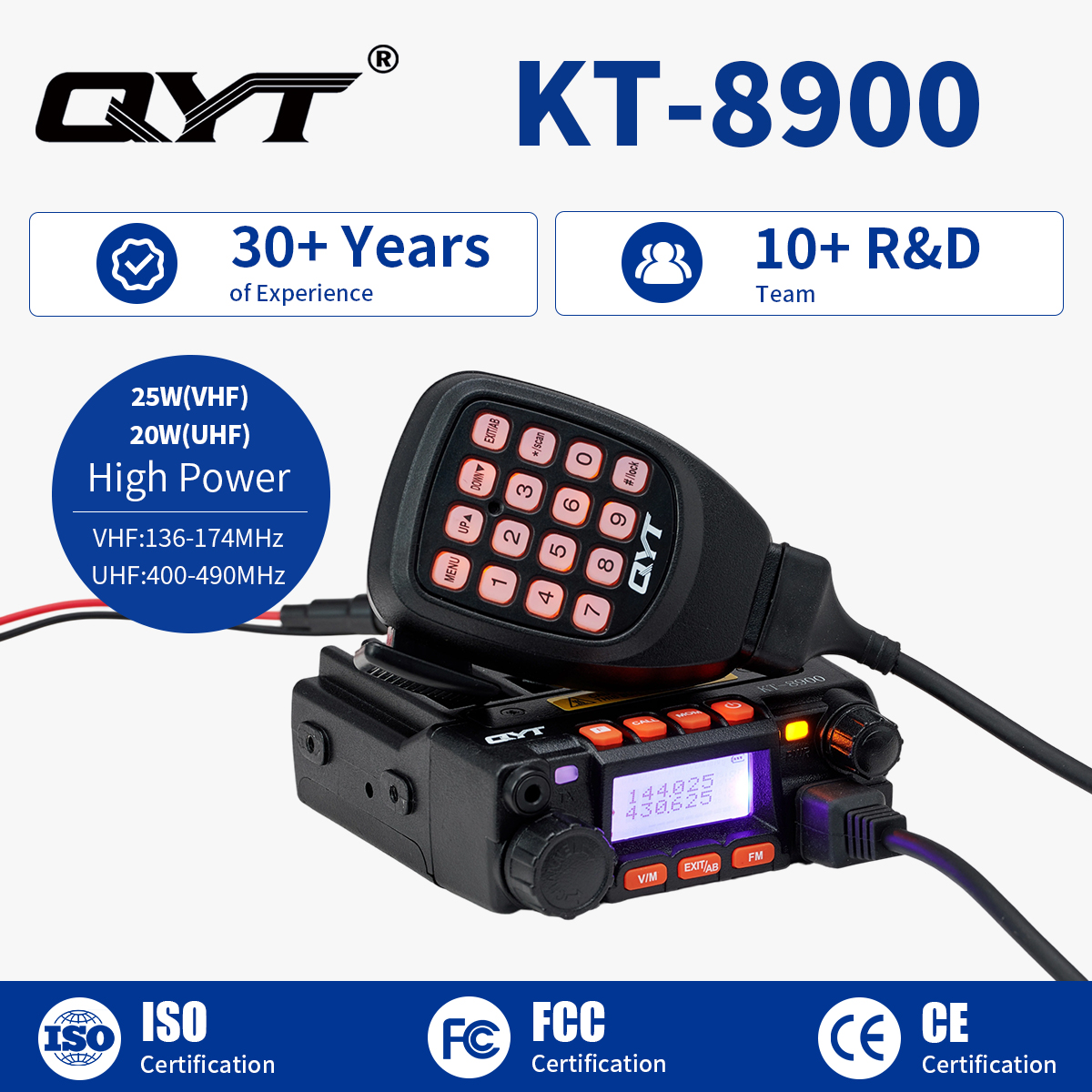
Buyers can review QYT’s Walkie Talkie category, KT-8900 mobile radio product page, and QYT contact page before preparing a project specification. For a custom fleet, submit the application, target market, frequency plan, quantity, and branding requirements to QYT for model matching.
FAQ: What Do Beginners Need to Know About Walkie Talkies?
How Do You Use a Walkie Talkie for Beginners?
Turn on the radio, select the approved channel, listen briefly, press and hold PTT, pause briefly, speak clearly, release PTT, and listen for the reply. Beginners should practice call signs and “Over” before using the radio in a busy workplace.
What Does PTT Mean on a Walkie Talkie?
PTT means Push-to-Talk. Pressing and holding PTT switches the radio from receive mode to transmit mode. Release the button as soon as the message ends so other users can access the channel.
How Do You Call Someone on a Specific Walkie Talkie Channel?
Select the assigned channel, listen to confirm it is clear, then say the recipient’s call sign followed by your own call sign. Wait for the reply before giving the full message. Never change channels without informing the team.
What Is the Correct Walkie Talkie Etiquette for Professional Use?
Listen before transmitting, keep messages short, identify the recipient and yourself, speak clearly, avoid sensitive information, use “Over” when a reply is needed, and release PTT immediately after speaking.
How Do You Use VOX Mode on a Walkie Talkie?
If the model supports VOX, enable it according to the manual, choose a suitable sensitivity, test it in the actual environment, and switch back to PTT if noise causes accidental transmissions. VOX settings vary by model.
Do CTCSS and DCS Make a Walkie Talkie Channel Private?
No. CTCSS and DCS mainly control which signals open the speaker. They can reduce unwanted audio from other users, but they do not encrypt a conversation or prevent others from transmitting on the same frequency.
Can Every Walkie Talkie Use the Same Channel?
Only when the radios are compatible and programmed with matching frequency, channel spacing, signaling, operating mode, and legal settings. Matching channel numbers alone does not guarantee communication.
Can a Waterproof Marine Radio Be Used Without Checking Regulations?
No. Waterproofing and float capability do not replace frequency authorization or marine-radio operating rules. Confirm the model’s approved channels, documentation, and local requirements before use